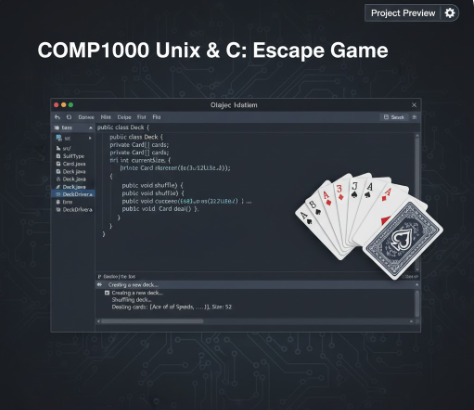
The task was to create a Java program that models a deck of playing cards, similar to those
used in games like Poker or Blackjack. The program consists of four main components:
the Card class, the Deck class, the DeckDriver class (which contains the main method),
and the SuitType enumeration. The goal was to implement these classes based on the
provided API, ensuring proper functionality for creating, shuffling, and dealing cards.
Deck of Cards Write a program using Intellij to model a deck of playing cards-the kind used in Poker or Black Jack, Download this API and unzip the file CardDeckAPL.zip Double-click on index.html to open the API. This API describes the four elements of this project: (1) the Card class, (2) the Deck class, the DeckDriver class (which contains the main method and may be renamed to your default IDE's main class name), and (4) the Sust Type enumeration Start by creating a project and add the following to the project:
Asuit Type enum definition given here SuitType.java This is the enumerated type definition for a playing card's suit
A Card class to represent one playing card. This class should have two constructors and a tostring method. Refer to the API to understand what these methods do
A peck class to represent a deck of playing cards. Lise an array (not ArrayList) to store the cards. In addition, store the current number of cards in the deck as a second instance variable, as cards are dealt, this integer will decrease. It should contain a constructor and the following methods: shuffle, deal, getSize, hazMoreCards, tostring. Refer to the API to understand what all these methods do
The main method should. Instantiate an ArrayList to hold Cazu objects,
ne main method snoulS instantiate an arrayList to hold Card objects instantiare the best of Cara objects shuffle the after shuffling, deal each card from the Deck and assign each card to the ArrayList after the ArrayList is filled, print the contents of the ArrayList, one Card at a time Be sure appropriate comments are in place. Add Javadoc for each class, and each method within every class. Submission: Coding guidelines Use only constructs and syntax from the textbook or from class lectures Use descriptive identifiers -Use letter-case standards for naming variables, classes, and methods -Write efficient code, do not re-create code when similar code already exists -Use white space effectively indenting blocks of code and blank lines between major sections of code Comments Add inline or block comments and non-trivial parts of your code. Testing Record your program running to prove it is running as expected, each time clearly explaining whether the output as correct or not, and why. There is no need to explain the code Academic fionesty This work is to be completed by you alone without the help of an internet resource, a friend, family member, or dassmate You may get help from the instructor, preceptor, or an official UHart tutor Any violation of the academic honesty policy will result in disciplinary actions as outlined on the syllabus Prepare for submission:
Download DBS if you haven't done so Change Settings > Output> Recording Format to mp4. Add Sources > Display Capture. Note that only MP4 videos are accented
--- PAGE 2 ---
Download QBS you haven't done so. Change Settings > Output > Recording Format to mp4. Add Sources > Display Capture. Note that orily MP4 videos are accepted
Record your program running by testing your code as explained earlier. Be sure to narrate and discuss and analyze the output, there is no need to explain your code. Be sure that audio is clear and audible. Test the MP4 to make sure video and audio work property. Limit your video to 2 minutes. If your code does not run or does not compile, create a video explaining how far you got with the code, and what happens or does not happen when program is compiled/ran
Zip your entire Intellij project for this work producing a zip file. No other extensions or formats are accepted. If I unzip this file, I should be able to open your entire project using Intellij and run your code directly a. To zip a folder on Windows, right-click the folder (that contains the entire project) in File Explorer, select "Send to, and then choose "Compressed (zipped) folder This will create a new zip file with the same name as the folder, in the same location, as a compressed archive. b To zip a folder on a Mac, simply contral-click (right-click) the folder (that contains the entire project) and choose "Compress" from the shortcut menu. A new zip file with the same name (or "Archive.zip" if you're compressing multiple items) will be created in the same location Every entry below must be filled Question 1 Select one that best describes your project. Be clear and precise to get full points. [x] Code complies, rested thoroughly with varied test cases, and works according to the exact specification above [x]) Code compiles but does not pass some test cases 5 Points